Showing posts with label Internet. Show all posts

23 May 2008

is Google going to suggest search terms

This is a new feature which I have read rumours about. Basically in third place - Google is suggesting alternative search terms in a bid to aid users.


I havent been able to see it since ! any sightings?

21 May 2008

My time in Austin Texas

Last week I spent the week in Austin Texas for work. I only took a couple of photos after hours and here they are .....


The 'Dillo - I assume some free public transport. I kept seeing these meander around.


This was the location of my hotel


American cube hell - what you want to work in cubes. I think the EU open plan office is a far better way to work - what do you think?


The Team


My hire car was big, and very much underpowered. Plus, couldnt turn the lights off !


This is what I should have hired


Austin is the state capital (not CapitOl) of Texas and from many roads you can see their parliament building. Yep, its the small one in the middle.

02 March 2008

My inner Geek

I was shown this video in a presentation the other day. This really brought out my inner geek. Maybe I am suited to my line of work !

Anyway - take a look at this video called "Web 2.0 ... The Machine is Us/ing Us" by Michael Wesch.

Well, what do you think?

Link to YouTube >>

26 October 2007

How does google get info for its image search?

If you have a few minutes to waste then here is a place to do that!

Google Image Labeler >>

19 June 2007

SEO links for the day

Dealing with Duplicate content
http://googlewebmastercentral.blogspot.com/2006/12/deftly-dealing-with-duplicate-content.html

Yahoo resources
http://help.yahoo.com/help/us/ysearch/webmaster/webmaster-01.html

To show Google search results with no filtering.
Add &filter=0 to the end of the URL.

18 April 2007

SEO tools in the hands of Directors !!! Bad news

I have just had to give some snr management some direct answers on indicator tools for SEO.

They also wanted direct answers on site: and what supplemental index means and want these figures collected on a daily basis ! Despite the caveats given and the advice on how to interupt them, they are now quoting these as new toys and making all kind of decisions even when other more reliable evidence is on hand.

I read this post on Jennifer Slegg's blog and instantly had huge empathy. Take a look

12 April 2007

SEO toys and widgets

This is not a definitive list - but I was asked by someone in the office for a few things to play with, this is what I gave them. I am sure I should look for some more.

Any suggestions?

There are many free tools and information sources.

Here are some things to consider reading, looking at. Each have their own pros and cons and levels of genuine knowledge.

Things to Read
http://www.webmasterworld.com/
http://searchenginewatch.com/
http://searchengineland.com/

Googles own blog http://googleblog.blogspot.com/
http://www.mattcutts.com/blog/
http://www.seochat.com/

http://forums.seroundtable.com/
http://www.daggle.com
http://www.highrankings.com/
http://www.internet.com/
http://www.webproworld.com/

Keyword Tools
https://adwords.google.com/select/KeywordToolExternal
http://inventory.uk.overture.com/d/searchinventory/suggestion/

Different tools
http://tools.seobook.com/

Google datacenter comparisons
http://www.microsano.org/microsano/bigdaddy.php

http://www.seochat.com/seo-tools/multiple-datacenter-google-search/
search and you will find many


Fun
http://www.gahooyoogle.com/

Duplicate content free checkers
http://www.copyscape.com/
http://www.webconfs.com/similar-page-checker.php


Spider simulator
http://www.se-spider.com/

30 March 2007

How to see supplemental index results in Google

On a Friday afternoon, I learnt something new and thought I would post it here before I forget it.

You know the usual way to see the pages in the search engine index is to use the site: command in the search box.

But how do you see how many pages Google has in its supplemental index?

Well use the site command, and at the end add

*** -view

so, site:www.example.com

becomes

site:www.example.com ***-view

thats
space, asterix, asterix, asterix, space, hyphen, 'view'

29 March 2007

What do search engines want?

I have moved this article to my other site - adrianland.co.uk

06 March 2007

Broadband providers

Why do communictions get it so wrong?
I am still offline at home after a house move. My provider failed, even to look after an existing customer.
But, they are all bad. There seems to be a classic problem. To be successful you need to be big. You need the efficiencies. But, the bigger, the less customer service and satisfaction.
This means i am posting while on a train. Writing this like a text.

19 December 2006

Duplicate content - a clear definition from Google

It was good to see a nice clear definition of what is duplicate content, well according to Google.
This is so easy to accidentally to do. The article is quite pragmatic - the way I like this kind of information.

20 November 2006

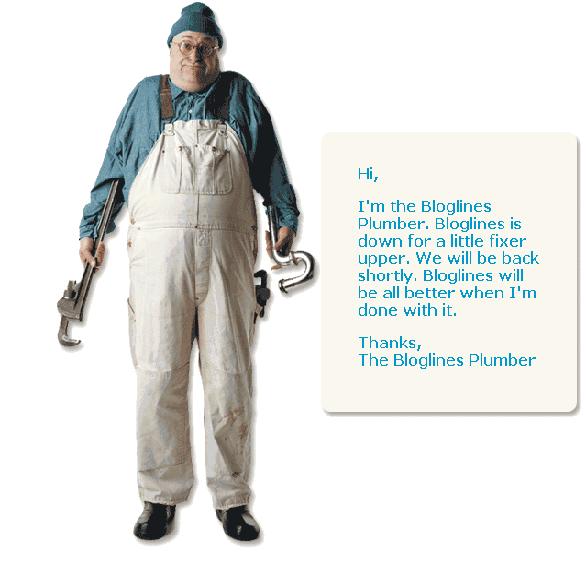
This is the prettiest 'We are temp closed' message I have ever seen

Normally when a site is temporarily unavailable its some kind of techie message.

This is the one Bloglines used today. A little annoying though when American companies who do maintainance during the night - our day! But hey - at least they have an amusing 'sorry' message.


13 November 2006

What's new on Gmail?

I love Gmail and I hate it at the same time! Why am I confused?

I have been using Gmail from almost day one. I was lucky enough as a long term adwords advertiser to get an account when I didnt even know google was going to start a mail service. I have long since stopped using Yahoo and Hotmail on a daily basis.

Gmail is great, the conversation management. The labels. Contact Management. The formatting. The spell check. My Alerts. All the settings. How it shows pictures inline.
Then there is GoogleTalk, in the browser and as a stand alone programme. And how they work together with Gmail.

Then they launch a few nice things this week
  • Reply on top of the message
  • New message notifications appear even if you are editing!
  • Forward all feature for your mail - all of the conversation
  • Chat even when your friends are offline
  • Gmail on your mobile phone
They are all brilliant. Love it and use it continuously.

I also love the way that I also manage, well this blog, calendar, docs, my groups, my webmaster tools, analytics, my social stuff (co-op), my personalised hp, my adwords accounts and making me some money. See my adverts :-) on the right hand side. It goes on and on. Oh and not to forget my Reader (have ditched bloglines). Its not related - but google earth and their maps are brilliant.

This is a little scary. They do everything. What is left to develop? And where are the competiton?

As a digi marketeer I love and hate Google.

From my work point of view we are dependant on Google for Natural Search traffic. As a consumer they are very very good. But I do worry about the lack of competition.

We do well out of Google in traffic and adwords. But we are ever so dependant on just one company. What happens when they change the way they do business? Well it happens occassionally and we ALL have to jump to change the way we do things.

So I am confused - love them and hate them.

I pay more attention to a load of techies in America than I do politicians ! Is this right.

Not sure I mind - while I have such great toys to play with :-)

07 November 2006

Causes of duplicate content

I was trying to list out all the causes of duplicate content - well accidential duplication.

Here is the list to date
  • Inconsistent URLs and links, especially search results
  • Similar products or bundles of products with similar description
    • this can be on your sites of resellers
  • Print friendly pages inc. white papers, pdf downloads.
  • DNS errors ie. no http:// to http://www etc or https !
  • Content management systems who use session cookies in urls
These all produce Errors - and effectively your are 'pissing in your own pool'. And risk getting duplicate content penalties - even though - you probably don't realise you have done it.

As I resolve more here - I will add to this list - send me more if you have them !

30 October 2006

What is SEO? I hear you ask Greg.

I have a mate called Greg, who doesn't understand what I do during working hours!

Then I realised I don't really know either. But that's not the point - so, I thought I would try to define what SEO is.

First of all it is an accronym for 'Search Engine Optimisation'. SEO, is a subset of website marketing, focuses on optimising all of the aspects that affects rankings in the major search engines.

Optimisation involves researching the right terms to target (keywords), designing/modifying the sites architecture, on and off page content, linking, promotion programmes for the sites to be search-engine friendly etc etc. (Not an exhaustive list - but you get the idea)

It also includes coding standards, web usability, feature development, legal requirements, ensuring the website does what it needs to do !

Then based on reporting and evaluation make all necessary changes.

This is the simple definition - does it make sense??

Money for old rope

How to make money for nothing.

I am all up for making a couple of quid for doing nothing. Well I have adsense on a personal rant site ! But to copy someone else's lame idea is terrible. I know this happens all the time in every walk of life, but hey.... There is a new site where advertisers can buy a slice of the action in return of exposure online. I wonder how this is going to happen. I might set one up my self - something like ...... makemylameideawork.com. Its so obvious it may actuallywork - email me if you would pay !


The original one to my knowledge was a novelty, it got press attention and was first (at least first famous).

24 October 2006

What is RSS? and how can it be used


What is RSS. ? Well you may of seen this logo appear on websites.

It is defined as 'Really Simple Syndication'. It means sharing data.

What does that mean I still hear you ask and what does that mean to me?

Think of it as a distributable "What's New" on websites.

On a practical basis you can get your news headlines in your 'RSS Reader' like receiving email ! This is the only current practical use to the average internet users. Many companies share data using XML. RSS is effecitively just like XML, and is another form of that but kindof for news and consumer content.

A program known as a feed reader or aggregator can check a list of feeds on behalf of a user and display any updated articles that it finds.

There are two main ones that I use for work and for personal info. The first is Bloglines, this is web based and has been around for a while. This has the advantage of being able to save Blog searches. And the newboy is Google Reader.

I really like the BBC, (British Broadcasting Corporation) here in the UK for their explanation and they have been very good in setting up their services. They have adopted their content and it is good stuff. Take a look at their content.

Take a look at a RSS reader and have a play.

I get all my work news, news and sport direct to my 'news inbox' every day. It is addicitive and easier than trawling through your favourites to find new content.

Did this makes sense, any comments? A.

20 October 2006

Google webmaster tool

Have you seen the latest stuff from Google. They have just launched a suite of tools to allow webmasters to see what Google thinks of their websites.

In the latest development you can now see the number of pages crawled, kilobytes downloaded and time spent downloading pages. You can even set your own crawl rate, selected your domain preferences and even encourage your pictures to be indexed more.

It can be quite scary to see how many errors your site makes. But it is definately a good tool to use batter your IT staff. It is really good for ensuring your robots.txt is working correctly and your server status' are functioning.

Housekeeping tool of the year me thinks !

Log into your google account, add your site to your profile, verify and be ready to be scared. For my current project it has opened up a can of worms about maintaining the basics while we do the more adventurous stuff.

Check it out.